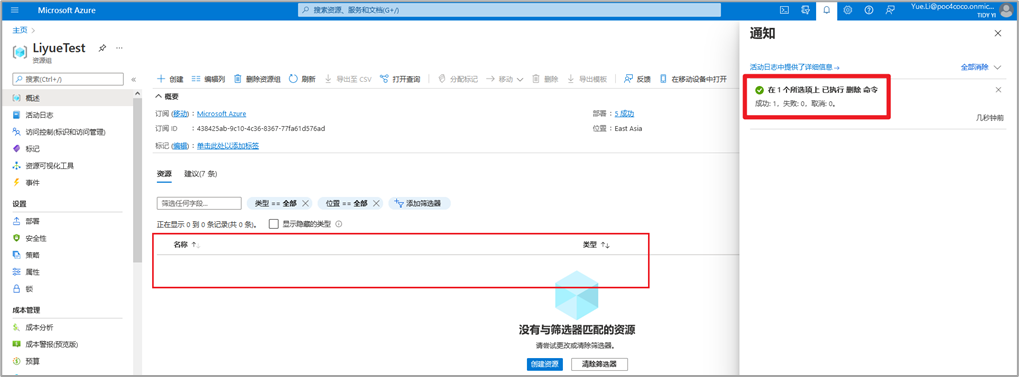
删除恢复服务保管库时出现报错:
Recovery Services Vault cannot be deleted as there are existing resources within the vault. : win7pc01. Please ensure all containers have been unregistered from the vault and all private endpoints associated with the vault have been deleted, and retry operation. For more details, see https://aka.ms/AB-AA4ecq5
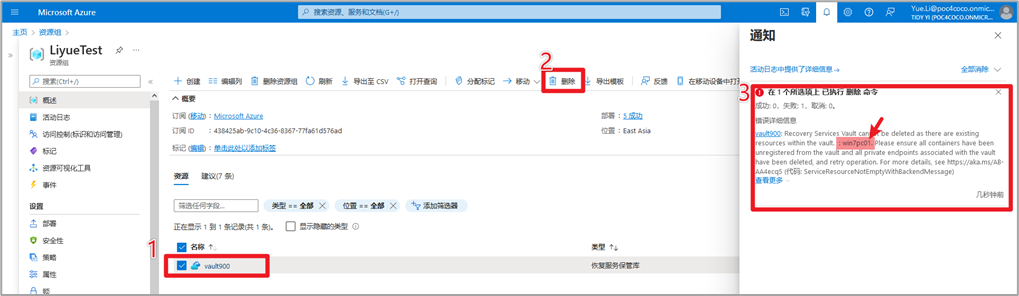
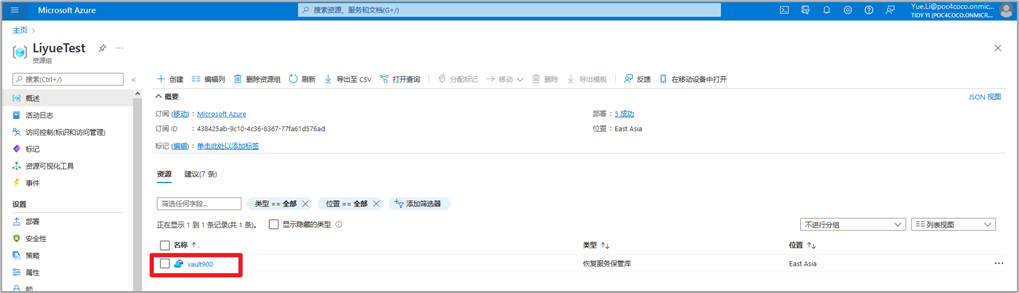
删除方法:
1 点击进入该恢复服务保管库
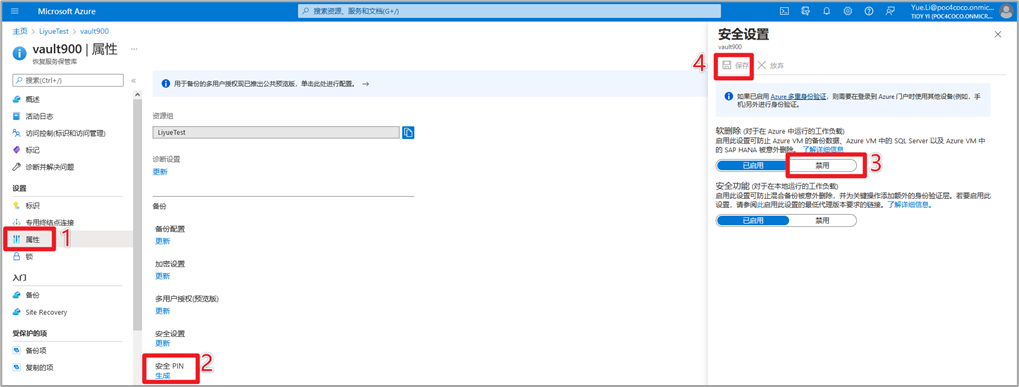
2 属性 > 安全设置 > 禁用软删除 > 保存
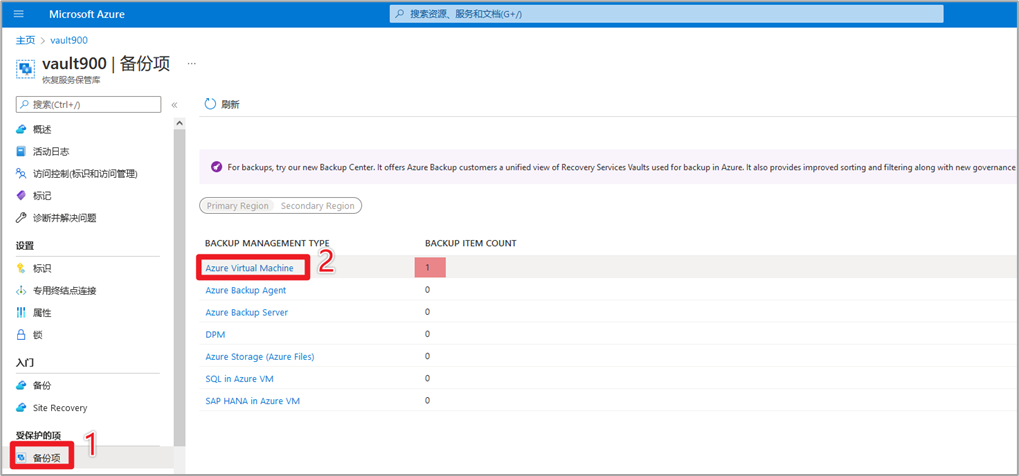
3 左侧菜单 > 备份项 > 可以看到有1台虚拟机的备份项 > 点击 Azure Virtual Machine
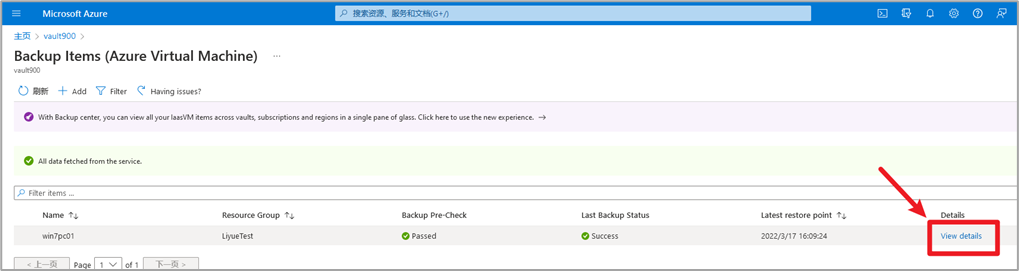
4 点击View details
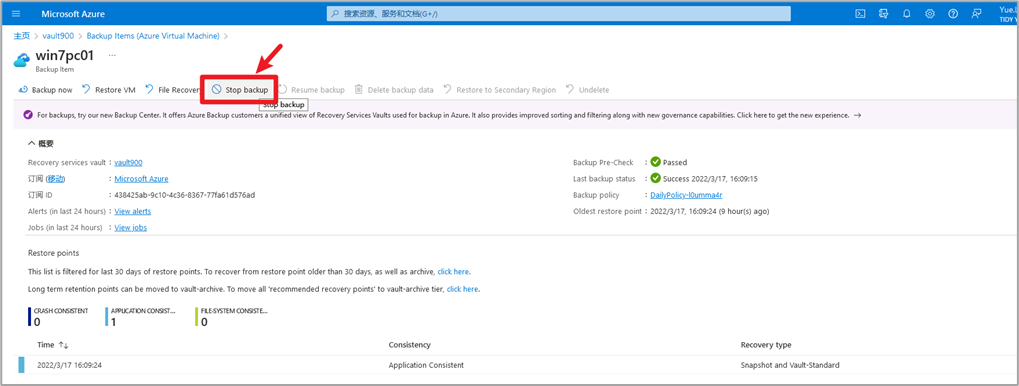
5 点击Stop backup停止备份
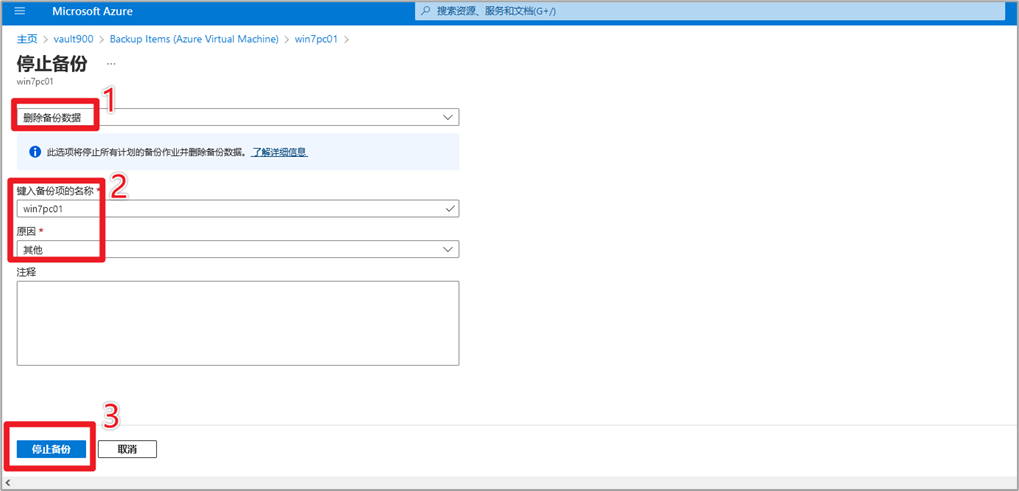
6 选择删除备份数据 > 输入备份项的名称 > 选择原因 > 点击停止备份
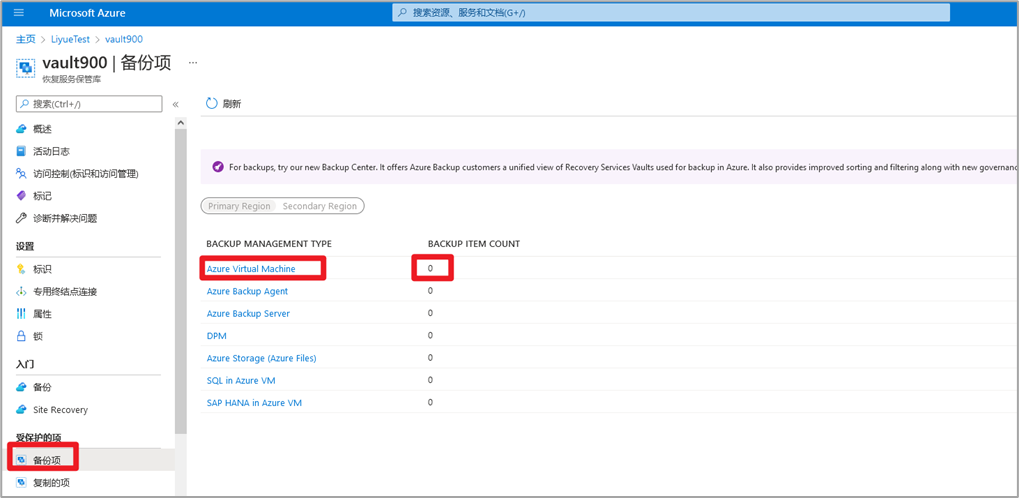
7 等2分钟返回上一页查看备份项 > 虚拟机为0
8 重新选择恢复服务保管库 > 删除
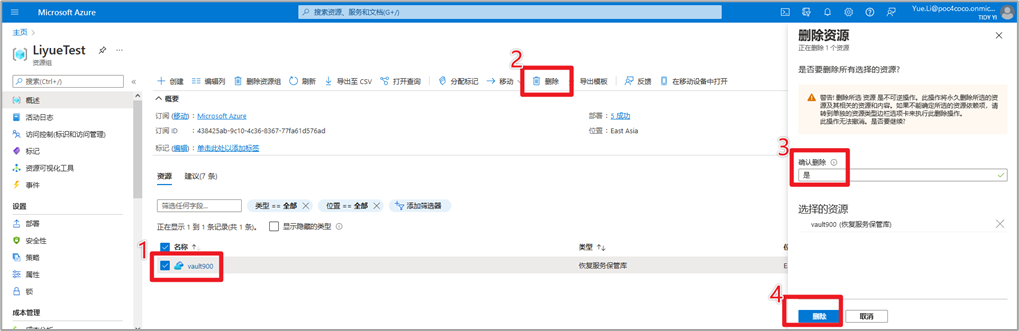
9 等1分钟,删除成功